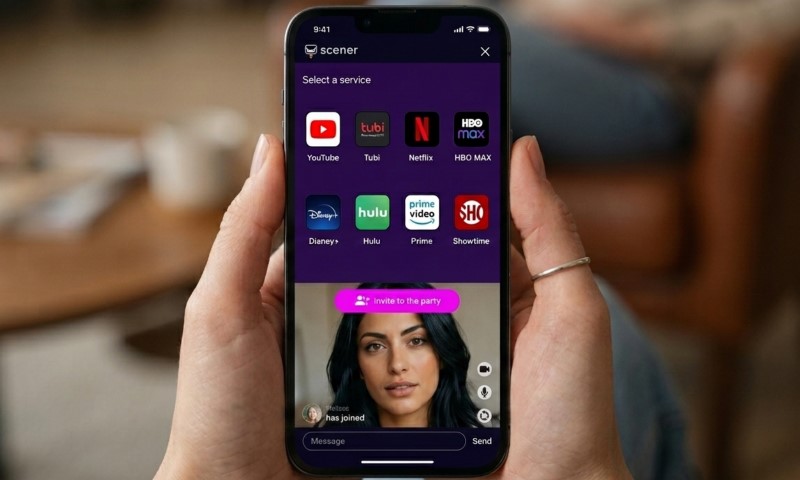
If you’re looking to host a digital movie night, Scener is likely already on your radar. It’s a heavy hitter for small groups who want their Netflix, Disney+, Max, and Prime Video perfectly in sync while they roast each other in chat.
According to Scener’s FAQ, it’s built for the laptop and desktop crowd using Google Chrome, offering private rooms for up to 10 people with full video, audio, and text support.
Just a heads-up: if you’re a die-hard console user or want a native smart TV app, this might feel a bit clunky. While it’s free to get started, the Premium tier ($5.79/month or $39.99/year) unlocks the good stuff like ad-free viewing and enhanced chat features.
Quick Verdict
Bottom line? Scener is the go-to if you want a full-blown remote movie night experience that goes way beyond just typing in a tiny text box.
The magic here is the combo of synced playback and face-to-face interaction. Sure, a couple watching a rom-com long-distance might be fine with just text, but when you’re watching a series finale with the whole gang, you want to see the facial reactions and hear the collective gasps in real-time.
The catch is that you really need to be on a computer. Mobile users will hit some roadblocks, and if you’re expecting “it just works” simplicity on your smart TV, you’ll be disappointed. But if your group has Chrome installed and wants that “shared sofa” vibe from miles away, Scener is hard to beat.
Scener At A Glance
Here’s the quick lowdown: Scener is Chrome-focused, super social, and supports almost every service you actually care about, though it loses some of its shine once you step away from your desktop.
| Feature | Scener In 2026 |
| Best For | Remote movie nights, fan screenings, small group watch parties |
| Core Device | Laptop or desktop computer |
| Main Browser | Google Chrome |
| Extension Needed | Yes, for laptop and desktop viewing |
| Free Plan | Basic hosting and joining |
| Premium Price | $5.79/month or $39.99/year |
| Free Trial | 3 days |
| Private Room Limit | Up to 10 people with video, audio, and text chat |
| Theater Mode | Unlimited text-chat guests, up to 10 co-hosts on camera |
| Subscription Needed | Yes, for paid streaming services |
| Best Streaming Fit | Netflix, Disney+, HBO Max, Prime Video, Hulu Premium, YouTube |
Over at the Chrome Web Store, version 7.1.6 has over a million users but a 3.1-star rating. That tells you exactly what to expect: it’s incredibly popular because it works, but setup hurdles and the occasional glitch are still part of the deal.
Supported Streaming Services
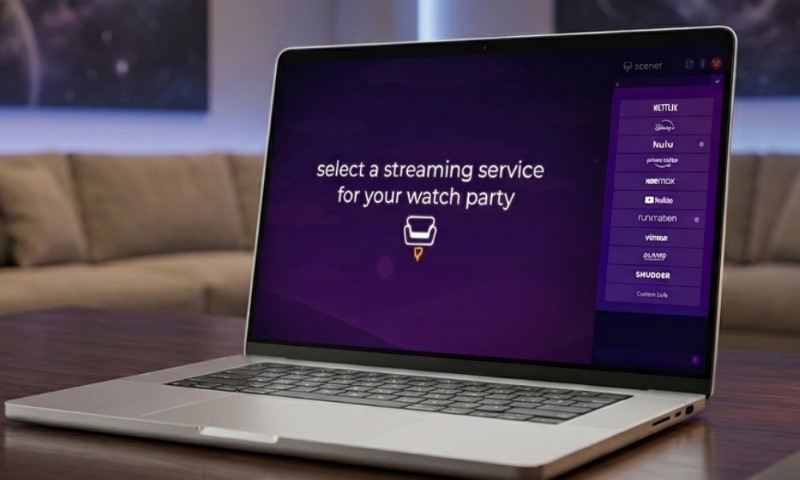
Scener covers all the big names for U.S. streamers, though how you log in depends on what you’re watching.
The platform splits things into two camps. YouTube and Vimeo are the easy ones – no complex logins required.
Then you’ve got the heavyweights like Netflix, Disney+, Prime Video, and Max that need your usual subscription. A quick note: Hulu and Crunchyroll fans will need Scener’s Premium access to get those moving.
And don’t let the branding throw you. Even though Max rebranded (and then rebranded back to HBO Max in 2025), Scener still calls it HBO Max. Whatever you call it, it works just the same.
How Good Is Scener For Netflix?
View this post on Instagram
If your friends all have Netflix accounts and Chrome browsers, Scener is a total blast.
Netflix is Scener’s bread and butter. It’s got the hits everyone wants to see, but keep in mind that “global” doesn’t always mean the same catalogue. If you’re hosting a friend in Serbia while you’re in the States, double-check that the movie is actually available in both spots first!
For just two people, Scener might feel like overkill compared to something like Teleparty. But for a proper watch party where the reactions are half the fun? Scener wins. Seeing your friend’s face when the jump-scare hits makes all the difference.
Best Netflix Use Cases
Scener shines when you’ve got a regular routine or a specific fandom that needs a home base.
- Long-distance couples watching one episode per week
- Friend groups rewatching a popular series
- Small fan communities hosting a public screening
- Families spread across cities who still want a regular movie night
How Good Is Scener For Disney Plus?
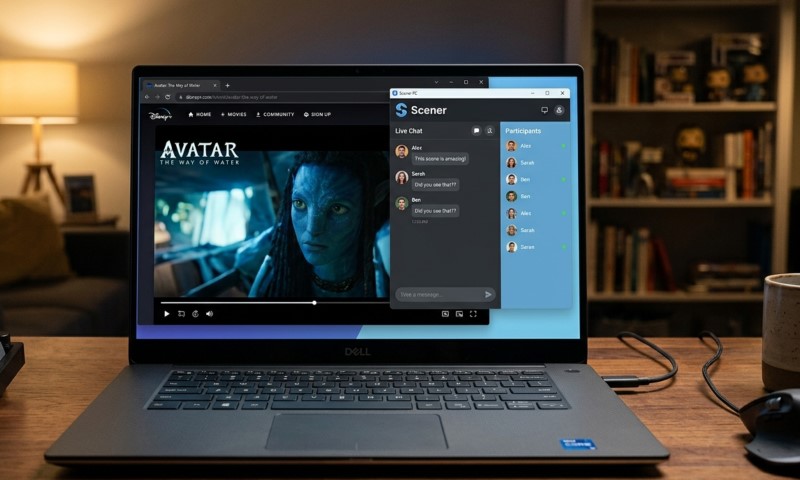
Scener is the secret weapon for Disney+ fans who aren’t strictly tied to the Apple ecosystem.
Apple fans have SharePlay, which is great for FaceTime. But Scener is for the rest of us – the Windows users, the Chromebook fans, and anyone who just prefers watching in a browser. It levels the playing field.
Disney+ can be picky about regions, so do yourself a favor and do a two-minute test run before the party starts. There’s nothing worse than ten people showing up only for half of them to see a “not available in your region” screen.
How Good Is Scener For Max Or HBO Max?
Scener is arguably the best way to watch HBO Max together, mostly because the native “watch together” options for Max have always been a bit spotty.
Whether you’re searching for “Max” or “HBO Max,” Scener has you covered. It’s the perfect spot for those prestige dramas or A24 indies where you want to debrief with your friends as the credits roll.
The video chat is key here. You don’t need to talk through a tense Succession-style scene, but seeing your friend’s jaw drop in the corner of your screen makes it feel like you’re actually there together.
Just remember: everyone needs their own login. Scener doesn’t bypass the paywall, so make sure the whole squad is subbed up and ready to go.
How Good Is Scener For Hulu, Prime Video, YouTube, And Crunchyroll?
@scener Reply to @brianna.flor3s ask and you shall receive😎 #Hulu #scener #fyp #movienight #tv #quarantine #socialdistancing #foryou
Scener is a beast with YouTube, but things get a little more specific with Hulu and Crunchyroll.
Pro tip: Use YouTube as your testing ground. Since it’s free and easy to load, run a five-minute session there to make sure everyone’s mics and cameras are working before you try to launch a paid movie night.
Since Amazon killed their native Watch Party feature in 2024 (as seen in this Amazon community thread), Scener has become essential for Prime Video fans. It fills that void perfectly.
For the anime fans on Crunchyroll or the Hulu bingers, just remember you’ll need that Scener Premium account. Also, anime licensing is notoriously tricky across borders, so hosts should check the specific episode’s availability in every guest’s country.
Setup And Ease Of Use
Once you get past the initial hurdle, Scener is a breeze – but that first setup can feel a little “IT Department” if you aren’t prepared.
You’ll need Chrome and the Scener extension. From there, you just pick a room, log into your streamer of choice, and fire out the invite link. It’s a few more steps than just hitting “play” on your remote, but the social payoff is worth it.
- Install the Scener Chrome extension.
- Log in to Scener.
- Choose a private room for friends or a theater for a larger audience.
- Open the streaming service and title.
- Share the invite link.
- Ask everyone to wear headphones if audio chat is active.
The Golden Rule: Wear headphones. Seriously. Audio feedback will kill the vibe faster than a buffering wheel. Keep your mic muted during the quiet parts, let one person handle the “remote,” and you’re golden.
Video, Audio, And Text Chat Quality

This is where Scener really leaves the competition in the dust.
Text chat is fine for background noise, but video and audio are what make Scener special. It’s the difference between “watching a movie” and “having a movie night.” If you really want to feel the energy of a season premiere, the Premium features are a solid investment.
Think of it this way: if it’s just you and a friend watching a documentary, the free version is fine. But for a six-person chaotic comedy night? Go Premium. You’re paying for the presence, not just the pixels.
Mobile And TV Support
Full disclosure: Scener isn’t really built for the “lean back” TV experience.
While you can technically join on mobile, it’s often more trouble than it’s worth. The real Scener experience is a desktop one. If you’re hoping to just use your TV remote and a couch, you might find the browser-based setup a bit tedious.
It’s perfect for home offices, dorms, or gaming setups. But if your goal is a seamless couch-to-couch connection without a laptop involved, you might still be waiting for the perfect app.
Scener Vs Teleparty Vs SharePlay
@scener Watch anything with anyone from anywhere! #scener #fyp #netflix #hulu #disneyplus #prime #binge #quarantine #MotivationMonday
Here’s how the big three stack up: Scener is for socialites, Teleparty is for minimalists, and SharePlay is for the Apple-only crowd.
| Tool | Best For | Main Strength | Main Limitation |
| Scener | Small groups wanting video, audio, and text chat | Rich social viewing in one room | Chrome-first setup and Premium chat features |
| Teleparty | Simple synced playback with text chat | Fast setup across major services | Less immersive social layer |
| Disney+ SharePlay | Apple users watching Disney+ | Native FaceTime experience | Apple ecosystem needed |
| Manual Discord or Zoom Sync | Flexible friend groups | Works around platform quirks | No reliable playback sync |
According to Teleparty’s site, they offer simple sync across Chrome, Edge, and Safari. It’s great if you just want to text and watch. But if you want to actually *see* your friends and feel like you’re in a room together, Scener is the clear upgrade.
Privacy And Data Considerations
Because Scener is an extension that lives in your browser, you should definitely be aware of what you’re sharing.
The fine print says Scener handles some personal info and web history to make the social magic happen.
The good news? The developers state they don’t sell your data to third parties. Still, standard “internet safety” rules apply: only install from the official store and keep your permissions in check.
Don’t sweat it too much – just treat it like any other trusted extension. Use it when you need it, and if you stop hosting parties, feel free to toggle it off.
Why Watch-Party Apps Still Matter In 2026
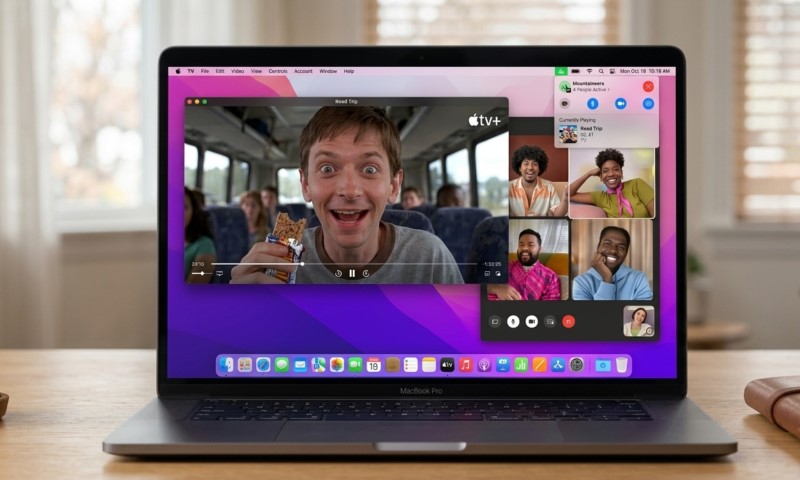
We’re all swimming in subscriptions now, and watch-party apps are the glue holding our social lives together.
Deloitte’s 2026 report shows that while almost every household has a streaming service, people are canceling and switching more than ever. This “subscription fatigue” means that planning a movie night today is actually an art form – you have to find the one service the whole group actually still pays for!
Streaming is officially the king of the living room. Nielsen data from the end of 2025 showed it hitting nearly 50% of all TV viewing.
We aren’t just watching together because we have to anymore; we’re doing it because that’s where the best stories are happening, and we want to share them.
Who Should Use Scener?
Scener is a no-brainer for long-distance couples, ride-or-die friend groups, and creators who want to host live watch-alongs.
Choose Scener If
It makes the most sense when everyone is on a computer and you want that high-energy, social atmosphere.
- Everyone can use Chrome on a laptop or desktop.
- The group wants video, audio, or text chat.
- The host wants control over playback.
- A private room of up to 10 people is enough.
- The group is comfortable checking subscriptions before starting.
Skip Scener Or Test Alternatives If
You might want to look elsewhere if your group is strictly TV-based or if you really just want to type the occasional “LOL” in a side-chat.
- Most viewers watch on smart TVs or consoles.
- The group wants the fastest possible setup.
- Text chat alone is enough.
- Guests dislike browser extensions.
- Several people lack the same streaming subscription.
Common Problems And Practical Fixes
Most “it’s broken” moments actually come down to your browser, your region, or your audio setup.
If things get glitchy, the “turn it off and back on” rule for the streaming window works wonders. Check your Chrome camera permissions if you can’t see yourself, and always remember: if a movie won’t play for your friend in Canada, it’s likely a Netflix licensing issue, not a Scener one.
For smoother sessions:
- Test YouTube first before opening Netflix or Disney+.
- Ask everyone to log in to the streaming service early.
- Avoid VPNs unless needed for legitimate access, because VPNs and firewalls can cause playback problems.
- Use headphones.
- Let one person control playback unless there is a clear reason to pass the remote.
Is Scener Worth It?
If you’re watching on a computer and actually want to talk to your friends, Scener is absolutely worth the effort.
Its strength is the vibe. It recreates that living room energy in a way that simple extensions just can’t match. It might take a minute to get everyone synced up, but once the movie starts and you see your friends’ faces, you’ll get it.
Whether it’s Netflix, Max, or a deep dive into YouTube, Scener is a solid, social way to watch. Start small, check your subs, and see if that Premium upgrade is the right move for your crew.